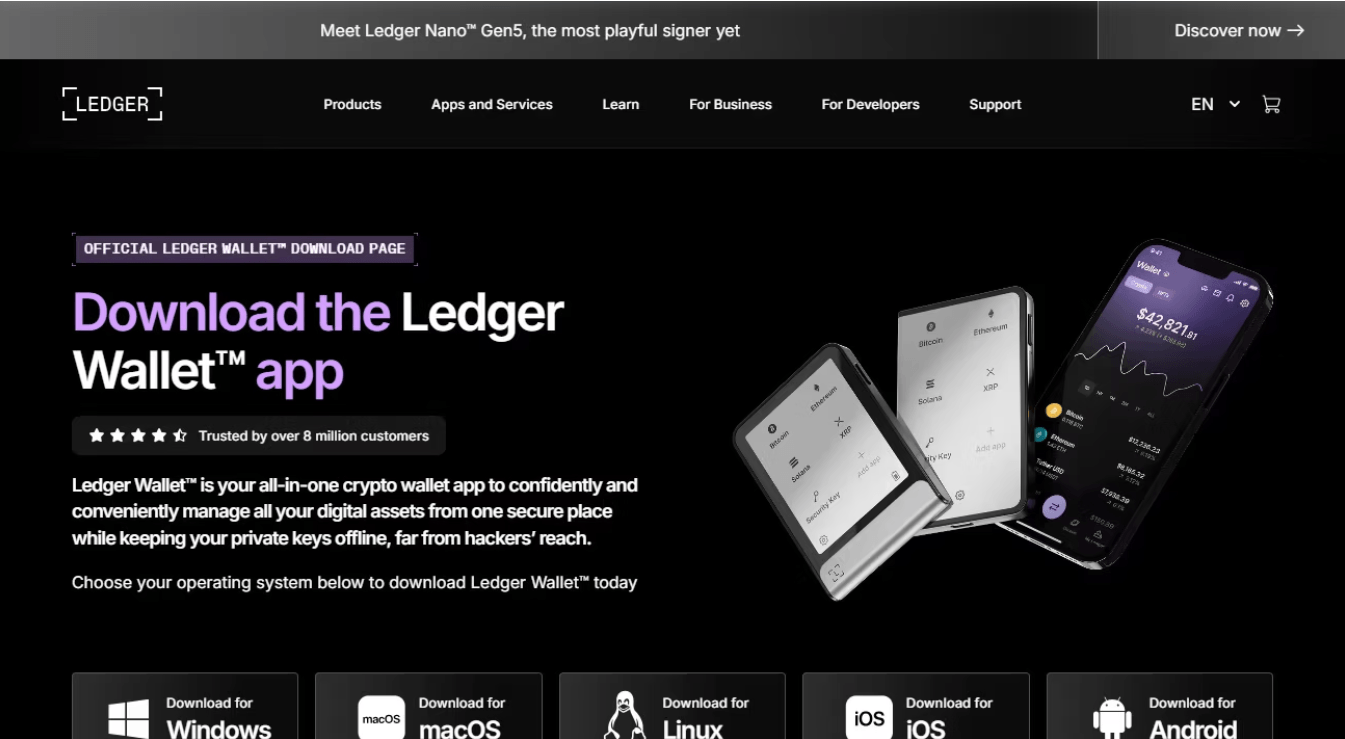
Ledger Live: A Comprehensive Guide to Managing Your Cryptocurrency Portfolio
SEO-friendly informational article | 550+ words
Introduction to Ledger Live
In the rapidly evolving world of digital finance, managing cryptocurrency securely and efficiently has become an important priority for investors and blockchain enthusiasts. Ledger Live is a companion application developed by Ledger that helps users manage their cryptocurrency portfolios through a centralized interface. It works alongside compatible Ledger hardware wallets, allowing individuals to monitor their digital assets, review balances, and manage supported cryptocurrency transactions.
Ledger Live combines portfolio visibility, account management, and access to selected blockchain services in one convenient environment. Rather than navigating multiple platforms for everyday portfolio activities, users can access several essential functions through a single application. Its organized interface makes cryptocurrency management more approachable for beginners while providing useful tools for experienced digital asset holders.
What Makes Ledger Live Useful?
One of the most valuable aspects of Ledger Live is its ability to bring different cryptocurrency management activities together. Users can explore supported accounts, monitor portfolio performance, and review transaction histories without constantly switching between unrelated applications.
The application supports a broad selection of digital assets and blockchain networks, although available features and supported cryptocurrencies can vary depending on the asset, network, device, and software version. This flexibility makes it a practical option for individuals who want a clearer overview of their cryptocurrency holdings.
Another important feature is its connection with Ledger hardware wallets. These devices are designed to keep private keys protected within dedicated hardware. When signing a transaction, users confirm the relevant operation on their hardware device rather than relying entirely on their computer or smartphone.
Key Features of Ledger Live
Ledger Live offers several functions that simplify everyday cryptocurrency management.
1. Cryptocurrency Portfolio Management
The portfolio dashboard gives users an organized overview of their cryptocurrency accounts. It helps them observe asset balances and review changes in portfolio value. This feature is particularly useful for people who hold multiple cryptocurrencies and want to keep their financial activities organized.
2. Send and Receive Digital Assets
Users can send and receive supported cryptocurrencies through the application. Before completing a transfer, they should carefully verify the recipient's wallet address, selected blockchain network, and transaction details. Hardware-device confirmation adds an important verification step.
3. Buy, Sell, and Swap Options
Ledger Live provides access to cryptocurrency purchasing and exchange services through integrated third-party providers. Depending on geographical availability and provider requirements, users may find different payment methods and transaction options. These integrations offer convenience without requiring users to visit multiple independent platforms.
4. Staking and Earning Opportunities
For selected supported cryptocurrencies, Ledger Live provides access to staking-related features. Staking allows eligible digital asset holders to participate in certain blockchain networks and potentially receive rewards. However, rewards are not guaranteed, and users should understand network conditions, withdrawal restrictions, and associated risks before participating.
5. Account and Transaction History
Maintaining an accurate record of cryptocurrency activities is essential for responsible portfolio management. Ledger Live allows users to review account information and transaction histories, making it easier to follow previous transfers and understand changes in their holdings.
How to Get Started With Ledger Live
Getting started with Ledger Live involves a few straightforward steps:
Visit the Official Website: Navigate to Ledger's official website and locate the Ledger Wallet application download section.
Download the Application: Select the compatible desktop or mobile version for your operating system.
Install and Open: Follow the installation instructions and launch the application.
Connect Your Hardware Wallet: Pair your compatible Ledger device according to the official setup instructions.
Add Cryptocurrency Accounts: Select supported assets and follow the account setup process.
Explore the Dashboard: Review your portfolio, account information, available services, and transaction history.
New users should follow the official instructions carefully and avoid downloading installation files from unknown websites.
Security Practices for Ledger Live Users
Security deserves particular attention whenever cryptocurrency is involved. Ledger hardware wallets are designed to protect private keys through dedicated hardware security. Nevertheless, users must follow appropriate precautions to reduce potential risks.
Never share your 24-word recovery phrase with anyone. Ledger representatives will never need this phrase to provide ordinary customer support. Avoid suspicious emails, fraudulent websites, unofficial downloads, and unexpected messages requesting confidential information.
Always verify transaction information directly on your hardware wallet screen before approving an operation. Remember that blockchain transactions are generally irreversible, meaning an incorrect recipient address or malicious transaction approval can result in permanent financial loss.
Users should also install genuine software updates and obtain applications through official channels.
Advantages and Benefits of Ledger Live
Ledger Live offers several practical advantages for cryptocurrency enthusiasts:
Centralized Management: Access multiple supported cryptocurrency accounts through one application.
Hardware Wallet Integration: Manage digital assets while maintaining hardware-based private-key protection.
Convenient Monitoring: Review portfolio information and transaction records.
Flexible Services: Explore supported buying, swapping, and staking opportunities.
User-Friendly Interface: Navigate important cryptocurrency management functions through an organized dashboard.
Multiple Device Options: Use compatible desktop and mobile platforms.
These benefits make Ledger Live a useful companion for people seeking a structured approach to cryptocurrency management.
Final Thoughts on Ledger Live
Ledger Live brings together essential cryptocurrency management features in an accessible application designed to work with Ledger hardware wallets. From monitoring digital assets to exploring supported transactions, account management, and staking services, it offers a convenient environment for handling various blockchain activities.
Its greatest strength is the combination of portfolio visibility and hardware wallet integration. However, responsible usage remains essential. Users should understand transaction risks, protect their recovery phrases, and verify every operation before signing.
Ultimately, Ledger Live can be a valuable tool for building a more organized cryptocurrency management routine. By combining informed decisions, secure practices, and appropriate hardware protection, users can approach their digital asset activities with greater confidence and control.